Here is the step by step procedure to get up and running your first ever blog.
Step 1: Choosing a Right CMS
Step 2: Selecting an Appropriate Domain Name
Step 3: Selecting Best Hosting Provider
Step 4: Setting Up the Blog
Step 5: Designing Your Blog
Step 6: Start Earning
You can also watch this video for easy step-by-step guide for quick help
Let’s dig deep into each of these steps.
Step 1: Choosing a Right CMS
CMS or Content Management System is basically a blogging platform like Blogspot, WordPress, Drupal, Joomla, Wix, TypePad etc where you are going to put all your files in.
Out of so many blogging platforms available out there we are going to go with WordPress because of following great reasons.
- It's free.
- It's very easy to design a blog and understand its dashboard.
- WordPress gives you so much flexibility to design any kind of website with the help of their 5000+ free and paid themes.
- Right now there are over 70,000 free plugins offered by WordPress to run your blog faster and efficiently.
- Lastly, there is a whole WordPress community out there who can help you for anything you might need while setting up a blog. Join their WordPress Forum.
98% of blogs in the world are currently using WordPress. Even I use WordPress for all my blogs including this blog SureJob.
So I highly recommend you to create your blog with WordPress CMS.
Step 2: Selecting an Appropriate Domain Name
Step 2 is very important because a domain name is going to reflect your blog’s niche. So you have to do justice to your blog by choosing a right domain name.
My blog SureJob.in is all about jobs and career as the very name suggests. I chose the name keeping my niche and audience in mind. So you have to do the same thing.
If you are planning to start a blog on Football or Cricket then choose names like CricketingWorld.in or SoccerFan
Following are the few things you have to keep in mind.
#1 Domain name must be in sync with the purpose of your blog. Check above video for choosing a domain.
#2 Name must be easy to remember and pronounce.
#3 Try for a .com extension. You can target worldwide with .com. If you don't find .com with your desired domain, then feel free to go with other extensions like .in, .org, .net, .info, .co etc
#4 ignore number and dash in domain.
Finalise on one of the most appropriate domain names.
Step 3: Selecting Best Hosting Provider
WordPress is just a software with which you create a blog by putting all the necessary files together.
But where are you going to host your blog?
Well that is what you need a hosting provider for?
A hosting provider stores all your content of your blog like text files, css files, images, videos etc at one place and make it available to the world.
So you need a hosting provider to use your domain name and make it accessible all around the world.
But which hosting provider are you going to choose?
In last 9 years I’ve used and experienced over a dozen of hosting companies. But Bluehost & Hostinger both are most reliable companies.
WordPress.org and most of the other top bloggers recommend Bluehost as their first choice.
One of the best thing that I like about both these companies is their support. You can chat online 24×7 and in most of the case, they solve your problem in just 5 minutes.
Step 4: Setting Up the WordPress Blog
I have an exclusive partnership for SureJob readers with these Bluehost & Hostinger.
You can buy Hostinger web hosting for just Rs 59 per month if you buy a plan for 1 website and Rs 115 per month for 100 websites.
Bluehost web hosting will cost you $2.95 per month and it provides lots of features. You can buy Bluehost hosting from this special link.
There are same steps if you start your blog either with Hostinger or Bluehost but here I am showing you the example of Bluehost.
Both these companies give you a domain for FREE.
So go ahead and create your first blog.
To make things clear and simple for new bloggers we are using images with pointers.
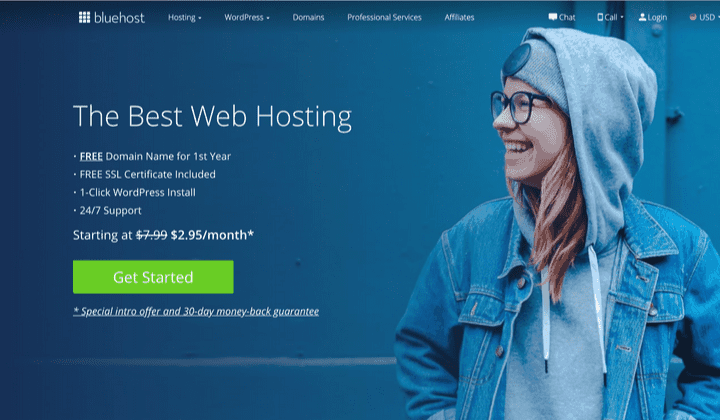
- Visit Bluehost here.
- Click on the green colour “Get Started” button.
- Now you are taken to the hosting plan’s page. There are four plans offered by Bluehost Basic, Plus, Choice Plus, Pro. Choose the Basic Plan if you want to start just one blog.
- If you are planning to start more blogs in future, then you can buy Plus Plan. In future, you can start multiple blogs with the same hosting without paying anything.
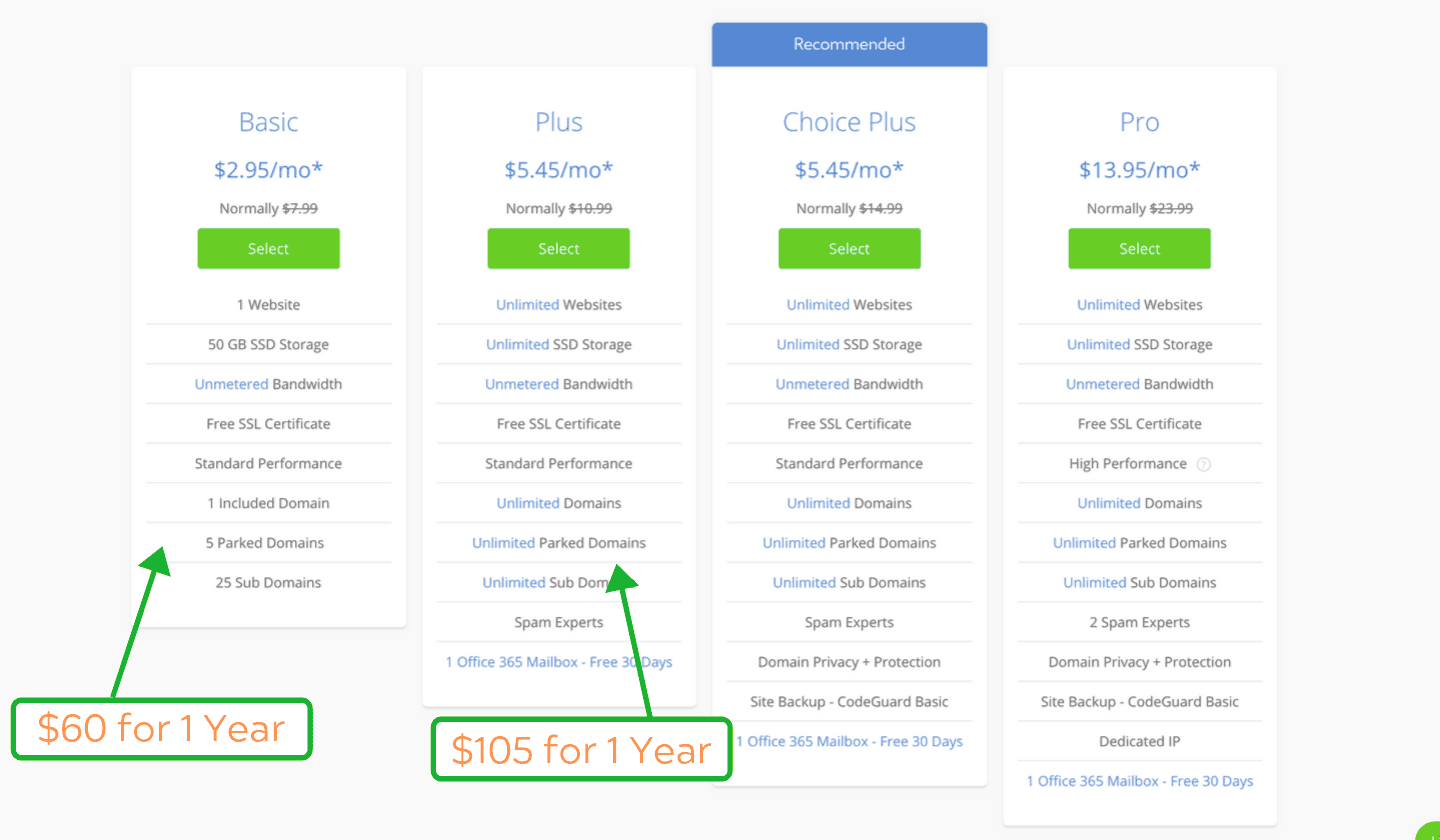
Read the features and click on the “Select” button.
5. On the next page, you have to add your free domain. Refer step no. 2 for deciding your domain. Type your domain and click ‘Next‘ button.
Step 5: Designing Your Blog
Here are some of the most important things to do after creating your blog.
1. Create a new user
You have already created an administrator account. As an administrator, you can make any changes in your blog. You can install any theme, plugins, creates posts, pages, categories and users and many other things.
Your Admin user and password must be very strong. Spammers and hackers can attack your blog with spam and malware if they are able to guess your admin username and password.
You need to do 2 things to avoid this.
- Make Admin username and password very strong.
- Don’t publish any post or pages through Admin account and don’t approve or write any comment through admin account.
You need to publish posts, pages and moderate the comments you receive on your blog from an Editor account.
You can easily create an Editor account by clicking on Users as shown in the above image.
- Click Users –> Add New
- Enter username, email, First name & Last name of a new user.
- WordPress will suggest you a strong password. Click on ‘show password’ button to see your password. Copy this password and note down.
- Choose role as ‘Editor’ from the drop down.
- Click Add New User.
Now if you want to publish a post or page from Editor account, you can logout from the option on the top right and login with the Editor username and password.
Login URL for your blog is yourblogname.com/wp-admin.
2. Install a theme after starting your blog
When you install WordPress for creating your blog, WordPress installs a default theme in your blog.
A theme is the most important part of your blog. It changes the look, design, style and layout of your blog.
There are thousands of free & paid themes available for WordPress bloggers.
If you want to install any free theme, then take your mouse to ‘Appearance‘ and then click on themes (see above dashboard image).
Click on ‘Add New’ button and you will find thousands of free themes. You can find Featured theme, Popular themes, Latest themes and other options.If you have budget, you can find thousands of premium themes on ThemeForest.
Experiment with your theme and make a great design.
3. Install Important Plugins
WordPress plugins are like apps that help you to add more features to your blog and make it more efficient & fast. You must install some of the important plugins for starting your blog.
Click on ‘Plugins' (as in image) and then ‘Add New‘ to install plugins.
Some of the important plugins are Yoast SEO, JetPack, Contact Form 7, Akismet, Classic Editor, WP Super Cache, Smush Image Compression.
You can search these plugins and click on ‘More Details’ to know more about each plugin.
Click on ‘Install Now’ button and then ‘Activate’ button to install and activate the plugin.
You can check more plugins from the Featured, Popular & Recommended fields there.
4. Add Your First Post
You should write detailed posts and publish at least 2-3 posts every week. Your readers should be happy and satisfied with your posts.
Google will rank your posts and give traffic if you write useful posts with original ideas.
Write your first 800+ words posts and publish on your blog.
Take your mouse to ‘Posts’ and click ‘Add New’ to add your first blogpost.
Add a title in ‘Add title’ section & copy your article in the text area. Add good image(s) to your post. And then click on Publish button to publish your first post.
Congratulation! This is your first post after starting your blog.
Keep writing and publishing such Awesome posts.
Other things you can do in your blog are Adding categories, creating navigation menu and adding the same on your blog. You will find more details in my next article.
Step 6: Start Earning
Blogging is becoming a very popular full time career in India and around the globe. Millions of bloggers are making $1000 to $100,000 per month from their blog.
Blogging is a full time career for me. I work 10 hours a day and 6 days a week on my blog. I make around $20,000 per month from my blogs.
So if you want to earn some great money with your blog, you need to get serious for your blog.
You paid almost nothing for starting your blog. But you need to work hard if your target is $2000+ per month
Harshit(author)


No comments:
Post a Comment